| Content | SYMPTOM
- In Runtime Manager, you see "Communication issues detected" in a cluster.
- The running cluster status is yellow
For example: 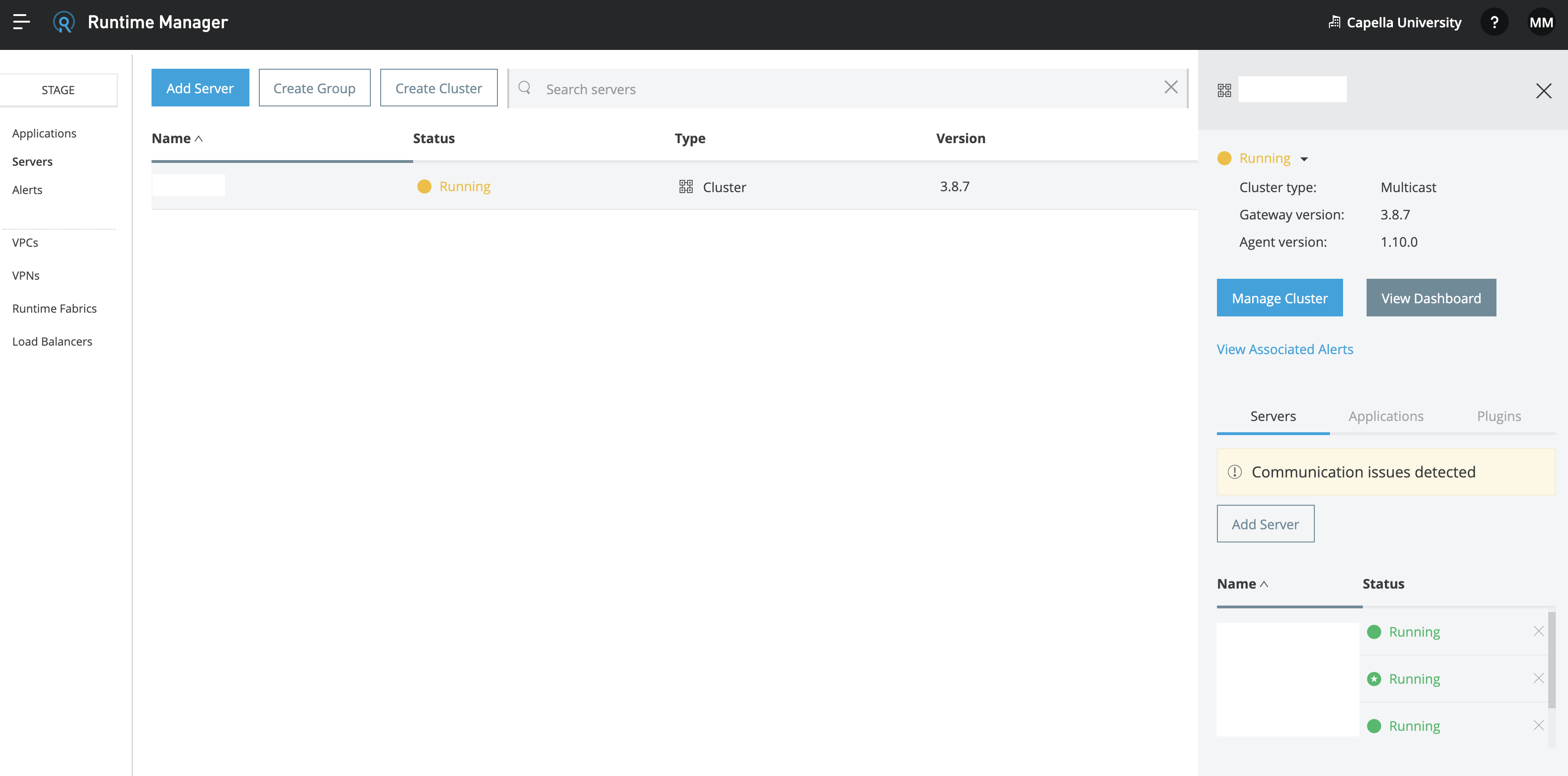
CAUSES
- Runtime Manager UI performs an API call to our platform, and it's detecting cluster communication issues in that API response.
SOLUTION
- If the servers in Runtime Manager are not in green "Running" status, please consider updating your Runtime Manager agent.
- Otherwise, please check the following article: How to troubleshoot communication issues between the Mule Runtime Agent and the OnPrem server
- If the issue remains, please contact MuleSoft Support providing the Runtime Manager API call response. There are two ways to get the response:
- Option A: Do it manually, by using the same API: ARM REST Services. The following is a response example from the 7386123 cluster:
{
  "data": [
    {
      "id": 7386123,
      "timeCreated": 1620242761270,
      "timeUpdated": 1620330306952,
      "name": "testing",
      "type": "CLUSTER",
      "status": "RUNNING",
      "multicastEnabled": false,
      "primaryNodeId": 7386090,
      "servers": [...],
      "visibilityMap": {
        "mapNodes": [
          {
            "serverId": 7386097,
            "visibleNodeIds": [
              7386097,
              7386090
            ],
            "unknownNodeIps": []
          },
          {
            "serverId": 7386090,
            "visibleNodeIds": [
              7386090,
              7386097
            ],
            "unknownNodeIps": []
          }
        ]
      }
    }
  ]
}
- Option B: Record an HTTP archive while opening Runtime Manager's Servers section, by following this KB article: How to retrieve HTTP archive files (HAR). MuleSoft Support can extract the API response from that HAR extension file.
|
|
|---|